
How Much Should You Budget for Small Business Field Service Software? (Also Consider Free Options)
If you run a small plumbing, electrical, heating, or HVAC (Heating, Ventilation, and Air Conditioning) business, field service software starts from around £7.50 per user per month. For a typical small crew, a realistic yearly budget sits between £200 and £4,000. Where you land depends on how many engineers you are kitting out, how many jobs you run, and the features your trade actually needs.
For a small trades business, the price usually comes down to a few things:
- The monthly or per-engineer subscription
- Any tablets or phones your team needs in the van
- A one-off cost to move your customer and job history across, and to connect the tools you already use, such as Sage or Xero
- Optional add-ons, such as extra mobile users or fleet dash-cams if you run vehicles
- Time to train the team
It is worth weighing that against the cost of not having it. For a plumber or electrician, one double-booked engineer, or a job sheet lost between the van and the office, can cost more than a month’s subscription. In a competitive local market, a missed slot often goes to the firm down the road.
What a Small Team Can Expect to Gain
Field service software can lift a small team’s output on the metrics that matter: jobs completed, revenue, revisits, and admin time. The figures below are drawn from user data.
ROI | Without FSM Software | With FSM Software |
|---|---|---|
Jobs completed per week | 100 | 120 |
Revenue per week | £20,000 | £24,000 |
Avg. job completion time per week | 625 hours | 601 hours |
Job revisits per week | 10 | 4 |
Admin hours per week | 20 | 8 |
Why You Should Move Off Spreadsheets, Disconnected Calendars & Paper to Field Service Software
For a small trades business (plumbing, electrical, heating, fire, and safety), field service software comes down to three things: less time lost to admin, getting paid faster, and keeping engineers on the tools instead of in the office. Run the job on a mobile app and a small team can expect:
- Invoices paid on completion, or on site, instead of weeks later
- Less cash tied up in over-ordered parts and spares
- More jobs finished on time, with fewer return visits
- Manual paperwork (quotes, invoices, and job sheets) turned digital
- Engineers spending more of the day in the field, taking on more work
However, these outcomes aren’t guaranteed. Choose the wrong product, vendor, or roll-out and you can end up with a system that frustrates your engineers and your customers, and never pays for itself. This is a common trap: around 60% of small and medium-sized businesses (SMBs) regretted a technology purchase in 2024 after seeing no return within six months. To stay on the right side of it, get clear on three things before you buy:
- Understand what it is you want from your field service tool in terms of opportunity or growth
- Identify your must-have requirements in terms of features, support, and pricing
- Finalise a budget that incorporates upfront costs, additional costs, and training
Shortlist Field Service Software That Matches Your Budget
The UK’s Best Small-Business Field Service Software Options (From Free to £79.95 a Month)
pro-Forms
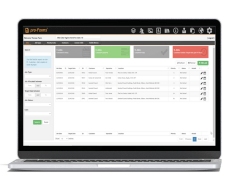
Pro-Form’s main feature is its easy drag-and-drop form creation and input, enabling easy switching from paper work order forms to digital forms. It also provides a 30-day rolling contract with no long-term subscription lock-in.
Best For: Small field service businesses switching from paper-based methods to digital ones.
Price: From £12 per month, per user (estimated yearly budget of £500)
Industry Fit: Construction, Fire and Safety, Electrical, Heating, Plumbing, and HVAC
Jobstaq
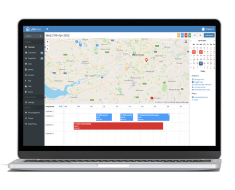
The use of mobile and desktop apps makes it easy to schedule jobs, create certificates, and chase payments from customers. It offers three payment plans based on features required with an option to pay monthly or annually.
Best For: SMEs that provide domestic field service and maintenance.
Price: From £7.50 per user, per month (total first-year budget of at least £200)
Industry Fit: Buildings and Facilities, Real Estate and Housing, Domestic Services, and Trades
TotalCTRL By Clockwork IT
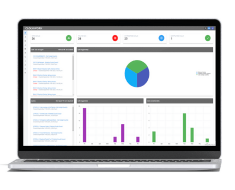
The easy integration process means mobile apps can be set up and used immediately. Offers easy integration with SMB finance and accounting packages like Sage, Xero, and QuickBooks.
Best For: Small field service operations wanting to organise and consolidate job information in one system.
Price: From £1000 (estimated first-year budget of £5,300)
Industry Fit: Equipment Installers, Grounds Maintenance, Fire and Security, Lift Servicing, and Renewable Energy
FaultFixers
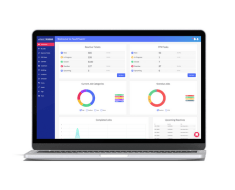
An SMB-focused job management product designed to easily replace paper-based and spreadsheet workflows. Mobile apps make it quick and easy to stay on top of work requests and complete jobs quicker. It is an easy-to-navigate system and user interface for smaller businesses switching from spreadsheets.
Best For: Small businesses wanting a simple, scalable solution that focuses on maintenance.
Price: From £99 per month (total first-year budget of at least £1000)
INFRASPEAK
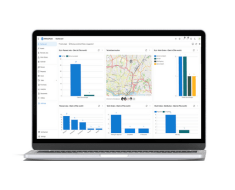
The main USP is to easily organise all assets, work orders, and inventory data in one easy-to-use system. Choose from over 50 IoT and third-party tool integrations including Google Calendar, Sage, Xero, WhatsApp, and Microsoft Teams.
Best For: Small business field service operations wanting flexibility between mobile and desktop apps.
Price: From £29 per user, per month (total first-year budget of at least £4,000)
Industry Fit: Facilities Management, Hotel Management, Hospitality, and Retail
BigChange
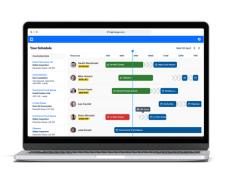
Its USP is the easy organisation of information and tracking capabilities of field workers and jobs in one single platform. Has a focus on vehicle tracking and fleet management, including the use of AI-powered dash cams, offer a fleet tracking-only pricing plan for £14.95 per vehicle, per month.
Best For: Small field service businesses looking to track and manage a small fleet of vehicles.
Price: From £79.95 per user, per month (total first-year budget of at least £6,000)
Industry Fit: Plumbing and Heating, HVAC, Electrical, Waste, and Building Management
Re-flow
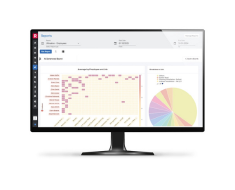
Re-flow is a cloud-based field operations platform covering estimating, scheduling, delivery, SHEQ data capture, billing, and reporting in one system. It suits established small contractors rather than micro-businesses, with the vendor citing 30+ users as its typical starting point for field operations.
Best For: Smaller highways and civil contractors at the upper end of the small-business range, running multi-site field teams and moving off paper-based site processes.
Price: £38.50 per user, per month (monthly billing) or £36.50 per user (annual billing)
Industry Fit: Highways, surfacing, traffic management, commercial landscaping, and utilities
What Type of Field Jobs Do You Do?
5 Considerations: Ease of Set-Up, Ease of Use and Mobile Working Matter More Than Most Tradespeople Think
1. What Can You Budget?
The most crucial part of your decision in this process is understanding what budget you have for purchasing Field Service Software. This should go beyond your budget for hiring workers, purchasing equipment, or upgrading vehicles, instead focusing on value:
- What does good ROI look like for your business?
- How long will it take for this solution to deliver ROI?
- Does the cost outweigh the inefficiencies of missed jobs, late invoices, or manual scheduling?
2. What Upfront, Monthly, and Long-Term Costs Are You Most Likely to Incur?
Identifying your expected costs will go a long way toward understanding your budget. You need to take into account the cost of:
- Onboarding and training costs
- Hardware requirements (tablets, smartphones, barcode scanners, etc.)
- Extra charges for additional users or job volume
- Storage, integrations, or support fees
- Annual price increases or contract renewals
Cloud-based field service solutions have made tools more available for small field service businesses. Instead of large lump sums, costs are typically split into manageable monthly or per-user fees.
3. What Are Your Most Required Capabilities?
To generate the most ROI from your purchase, you need a solution that delivers the capabilities your business requires. These capabilities should solve your current pain points first and gradually add value to your operations.
- Job scheduling and dispatching
- Mobile access for technicians
- Digital job sheets and customer signatures
- Inventory and parts tracking
- Integration with accounting or CRM systems
4. When Do You Need It Up and Running?
For small field service businesses, there is little margin for downtime. Once committed to a Field Service Software, you’ll want it up and running right away. This process can depend on:
- How much data needs to be imported
- The level of staff training required
- Whether the software integrates smoothly with your existing tools
- How quickly the vendor can support onboarding
5. Should You Take a Free Trial Before Purchase?
Free trials are an important part of the software buying process, especially for small businesses switching from spreadsheets. They help determine how useful a product is for staff and customers, how easy it is to use, and if it can deliver on your KPIs.
Today, it’s common for vendors to provide a free trial. However, a free trial is only as good as you make it. To ensure you get the most from this experience, be sure to:
- Set aside dedicated time to use the product in depth
- Make a list of what you want to achieve from this trial and what a successful trial looks like
- Recreate real-life scenarios such as logging job requests, assigning work orders, or tracking technicians
- Engage in a free trial set-up with the vendor to make sure you’re getting the most from it
- Involve your field staff and gather feedback
Always Check the Subscription Terms Before You Commit
1. Focus on Smooth Data Migration From Spreadsheets
For businesses that don’t have a dedicated IT team, implementation of field service software can seem complex. Especially when migrating historical customer, work order, technician, and job data.
To give yourself the best chance of a smooth migration:
- Organise and clean existing data, making sure it is up-to-date, and that no wrong data will be transferred
- Tag essential data fields for import priority
- Ensure data is in the correct fields, meaning it can be transferred with existing field names
- Lean on the software vendor to assist when exporting and inputting data
2. Invest In Employee Training and Support
Adjusting to new technologies can be difficult, with staff and field workers shifting their normal way of working. To combat any user friction, vendor training and support are essential. Ensure your chosen vendor has the right resources to help. During the training and support processes, be sure to factor in:
- The amount of time needed to train employees during business hours
- Cost of training, including job delays and closing in business hours
- Training resources needed
3. Make Choices Based On User Familiarity
To avoid user friction and speed up the training process, select a system that is familiar and easy to use. That includes:
- Easy access to and understanding of dashboards and reports
- Raising work requests
- Assigning jobs
- Managing spare parts and inventory
- Creating and sending invoices and quotes
This is where free trials and product demonstrations are key, letting you see firsthand how the software interacts with your existing processes and data. A top tip here is to include workers in the trialling process and receive feedback on usability.
Spreadsheets & Calendars vs Field Service Software For Small Business
Excel spreadsheets have over 750 million users worldwide, with most small and medium-sized businesses opting to use them because they are cost-effective and easy to use. Yes, spreadsheets are great when starting with a small client list, but they reach their limits once the number of jobs, workers, and customer grow.
On top of spreadsheets, small businesses will use a mix of shared calendars, email, messaging apps, and accounting tools. However, a field service system brings all this together in one platform. This results in fewer manual steps, fewer duplications, and more accurate data.
Capability | Spreadsheets | Calendars | Field Service Software For Small Business |
|---|---|---|---|
Scheduling and Dispatch | ✓ | ✓ | ✓ |
Job Management | ✕ | ✕ | ✓ |
Communication | ✕ | ✕ | ✓ |
Customer Data Handling | ✓ | ✕ | ✓ |
Parts Management | ✓ | ✕ | ✓ |
Invoicing and Billing | ✕ | ✕ | ✓ |
Reporting | ✕ | ✕ | ✓ |
When migrating from spreadsheets to Field Service Software, vendors make the process as easy as possible. It can take anywhere from a few hours to a few days to map and transfer historical customer, job, accounting, and inventory data. The process typically looks like this:
- Clean customer & site lists (names, addresses, postcodes) and format into one CSV file
- Upload the CSV file into your field service management product (look for an import button or talk to a support team member)
- Map your data from each column, row, and cell into the correct field
- Review and run tests to ensure data is being collected and displayed correctly
Remember: Invoicing and Billing Features Are Built Into Field Service Software
Field service software helps you get paid faster by moving invoicing onto a mobile app: raise the invoice on site, take card payment on the spot, and automate the follow-ups you would otherwise chase by hand. This matters because cash flow is where small trades feel the squeeze.
Research suggests 52% of small field service owners worry about unpaid invoices, and 44% say late payments are their biggest invoicing headache. For a self-employed electrician or a small plumbing firm, a late payment means supplies go unbought, jobs back up, and cash flow tightens. Digitising billing is one of the quickest wins.
Collect Payment On-Site With Integrated Apps
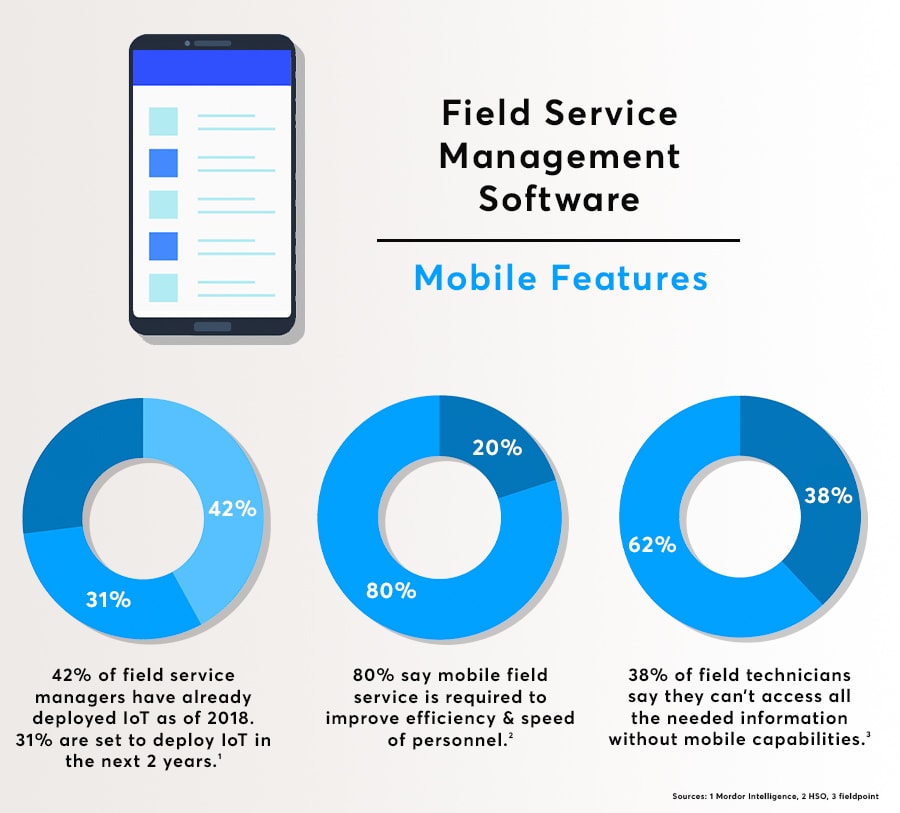
Raise the invoice the moment the job is done, straight from your phone. Customer details pull through from the work order, you take card payment on a reader, and the customer signs on screen. No driving paperwork back to the office, and no waiting weeks to get paid.
Automate Customer Payments
If a customer’s payment details are already stored on file, you can automatically take payment when a service has been agreed upon. This reduces the need to chase payments. If you have a client’s PayPal or credit card details, invoices are paid within minutes of a job being completed.
Utilise Batch Invoicing
Whether you’ve fallen behind on invoicing or prefer to send them all at once, batch invoicing can help. Having a batch invoicing option allows you to select the jobs that need billing and effortlessly send an invoice to all clients in just a few clicks. With customer and job details pre-loaded into your field service invoicing system, multiple invoices are ready within minutes.
Reduce Paperwork
An effective way to reduce billing and invoicing errors is by going paperless. Instead of sending payment forms back to the office to be filed and sorted, data is instead stored electronically. This essentially creates a digital trail that is accessible to all staff and customers. A digital audit trail can save hours when having to search for customer payment history.
Use Templates to Build Brand & Speed
A key factor in speeding up the invoicing process is by using already-generated templates. Invoicing templates have the necessary fields and data already stored, meaning your field workers don’t have to waste time by filling out forms and information at the end of a job. Templates can also be customised to include company branding and disclaimer messages. This makes the payment process both professional and consistent across all jobs.
Why Field Service Software Reviews Can Be Misleading (Some Are Fake or Paid For)
Treat reviews as one input among several, not the deciding factor. The more reliable checks are the ones you run yourself:
- Take a free trial and use it on real jobs. Log a request, assign a work order, and raise an invoice on site, rather than clicking around an empty demo account.
- Book an in-depth demo and ask the vendor to walk through your actual workflow, using your job types and your trade.
- Put it in front of your engineers. The people using it in the van will spot friction a review never mentions.
- Check the contract terms, so you can walk away if the fit is not right.
- Shortlist against your budget and must-haves first, then use trials and demos to separate the final two or three.
Reviews can mislead because rating sites can be gamed. Some reviews are incentivised, paid for, or posted by the vendor’s own network, while genuinely unhappy customers often never post at all. Two products with near-identical scores can also behave very differently for a small plumbing or electrical firm than they do for the larger operations that left most of the feedback.
Keep in mind, a star rating rarely tells you what you need to know: whether the mobile app holds up in a basement with no signal, or whether support answers the phone while you are standing in front of a customer.