15,829 Businesses Have Used Us to Shortlist the Right Enterprise Software


What Is Enterprise Resource Planning (ERP) Software?
Enterprise Resource Planning (ERP) Software acts as the backbone of the business. It interconnects all core functions, from sales, production, and manufacturing to finance, warehousing, supply chain, and HR.
An ERP system ensures every team works from the same set of data while also giving each department access to the specific features and capabilities they need to operate effectively.
With ERP Software, businesses gain both unity and flexibility; a single platform that supports specialised needs while keeping the organisation connected.
Cloud-based enterprise resource planning systems enable businesses to:
- Use ERP planning engine to model multiple financial, operational, supply chain, workforce and sales order scenarios.
- Use data and forecasting capabilities to optimise procurement of materials and labour.
- Interlink accounts with sales, procurement, supply chain and human resources.
- Improve project management by using data and analytics from finance, human resources, sales and supply chain departments.
- Develop, monitor and control individual, team and business-level compliance adherence.
- Use ERP analytics to make decisions on KPIs, changing structure, Growth and overall optimisation decisions.
Below are the typical deliverables of an ERP Software.
- Real-time cash flow and P&L visibility. Month-end close times are improved by 30- 50%
- Purchase order cycle times enhanced by 25%
- Order fulfilment errors reduced by 90%
- Payroll accuracy is often maintained at 99%
- Production planning accuracy increased by 25%, and manufacturing cycle times reduced by 10-15%
- Warehouse picking accuracy is often at 99%
- Custom reporting time reduced by 50-70%
- 60-80% of manual data entry is eliminated
What Are the Best ERP Software Systems In the UK?
Oracle Netsuite ERP
| Best For: Organisations seeking a scalable, cloud-based ERP Software needing fast deployment Core Modules: Financial Management, CRM, Inventory Management, Connector, Commerce, HRM, Supply chain Industry Fit: Education, Energy/Utilities, Financial, Healthcare, IT, Manufacturing, Retail, Transportation & Logistics, and Distribution Implementation Timescale: 24 hours to 4 weeks |
| See If Oracle Netsuite Matches Your Requirements | |
Winman ERP
| Best For: Manufacturing and distribution businesses needing a fully integrated system Core Modules: Product data management, CRM, Warehouse management, Project management, Supply chain, Financial management, Retail management, Business intelligence, HR Industry Fit: Manufacturing, Distribution, Wholesale, Food and Beverage, Pharmaceuticals, and Furniture Manufacturers Implementation Timescale: 3 months to 9 months |
| See If Winman Matches Your Requirements | |
IFS ERP
| Best For: Complex, asset-intensive industries operating across multiple sites and business units Core Modules: Manufacturing, Supply chain, Financial management, Procurement, CRM, Commerce, Human capital management Industry Fit: Aerospace, Defence and Security, Energy, Engineering, Construction and Operations, Logistics and Distribution, Manufacturing, Oil and Gas, Telecommunications, Utilities Implementation Timescale: 3 months to 9 months |
| See If IFS Matches Your Requirements | |
Statii
| Best For: SME manufacturers needing an affordable, customisable ERP/MRP solution to replace spreadsheets Core Modules: Manufacturing, Financial management, Procurement, CRM, Sales, Inventory management, Order management Industry Fit: Metal Manufacturing, Wood Manufacturing, Plastic Manufacturing, Industrial Machinery and Components, Engineering, Construction and Operations Implementation Timescale: 7 days to 4 weeks |
| See If Statii Matches Your Requirements | |
Infor CloudSuite Food and Beverage (ERP)
| Best For: Organisations in the food and beverage industry requiring compliance with safety and quality standards Core Modules: Manufacturing, Forecast and demand planning, Production planning, Supply chain management, Recipe management, Product lifecycle management Industry Fit: Dairy, Animal Feed and Pet Food, Beverages, Grains and Cereals, Meat, Poultry and Fish, Bakery and Confectionery, Agricultural Produce, Fruits and Vegetables, Food Ingredients Implementation Timescale: 3 months to 1 year |
| See If Infor Matches Your Requirements | |
Enapps
| Best For: SMEs needing a customisable, modular ERP Software with flexibility and tailored configurations Core Modules: Accounting, CRM, Sales, Product configurator, Purchasing and warehouse, Manufacturing, E-commerce, HR Industry Fit: Manufacturing, Construction, Engineering, Distribution, and Service & Maintenance Implementation Timescale: 4 weeks to 9 months |
| See If Enapps Matches Your Requirements | |
Xpedeon
| Best For: Construction and engineering firms needing a single platform to connect sites, departments, and supply chain operations Core Modules: Accounting, Supply chain, ETO manufacturing, CRM, HR and payroll, Warehouse management, Contract management, Subcontractor management Industry Fit: Construction and Engineering, General Contractors, Specialist Contractors, Real Estate, and Property Developers Implementation Timescale: 4 weeks to 3 months |
| See If Xpedeon Matches Your Requirements | |
Flowlens MRP and ERP Software
| Best For: Equipment and device manufacturers wanting integrated CRM, production control, and service management in one system Core Modules: Manufacturing, CRM, Inventory management, Financial management and integrations, Work order management Industry Fit: Original Equipment Manufacturing, Equipment Reselling, Parts and Materials Supply, Industrial Machinery and Components, Manufacturing Implementation Timescale: 4 weeks to 3 months |
| See If Flowlens Matches Your Requirements | |
MRPEasy
| Best For: Small manufacturers (10–200 employees) seeking an affordable, easy-to-implement solution with integrated CRM and accounting Core Modules: Product planning, Material planning, Inventory control, Sales, Procurement, Financials Industry Fit: Manufacturing, Aerospace & Defense, Automotive, Chemical, Energy/Utilities, Food and Beverage, Healthcare, Packaging, Pharmaceutical, and Wholesale Distribution |
| See If MRPEasy Matches Your Requirements | |
RamBase Cloud ERP Software
| Best For: Low-volume, high-value manufacturers (15+ employees) seeking a cloud-hosted ERP with built-in quality, traceability, and end-to-end value chain control Core Modules: Sales, Procurement, Production management, CRM, Logistics management, Financial management, HRM Industry Fit: Manufacturing, Electronics, Wholesale Distribution, Automotive, Oil and Gas, Industrial Machinery and Equipment, High Tech and Electronics Implementation Timescale: 3 months to 9 months |
| See If Rambase Matches Your Requirements | |
What are You Looking to Improve with ERP?
Top 6 Reasons to Implement an ERP Software
1. Teams Are Operating in Silos
The biggest challenge facing growing businesses is siloed data and departmental isolation. This is caused by teams using different tools and incompatible systems. For instance:
- Sales teams rely on CRM systems like Salesforce or HubSpot
- Operations departments depend on Excel spreadsheets
- Finance teams use accounting platforms such as Sage or QuickBooks
- Inventory management occurs through spreadsheets or warehouse systems
- HR departments keep employee data in HRIS systems
This results in fragmented data and significant business risks, with companies losing 20-30% in revenue every year because of inefficiencies linked to data silos. ERP Software replaces disconnected tools and eliminates silos by creating a unified data architecture. It allows all departments to work from a single, consistent data source, meaning:
- Sales orders automatically trigger inventory allocation and production scheduling
- Financial transactions update in real time
- Inventory levels are reflected immediately in sales systems
- Management receives consistent reporting across all functions
2. Planning Is Reactive, Not Proactive
Without an integrated ERP system, businesses often operate in a state of constant reactivity, addressing problems only after they occur rather than preventing them. This impacts inventory stockouts, equipment maintenance, staff scheduling, supplier negotiations, and more.
Modern ERP Software introduces planning tools such as:
- Demand forecasting: AI and predictive analytics tools analyse historic data, trends, and market indicators to predict future demand
- MRP: Automatically calculates material needs based on production timelines and lead times
- Capacity planning: Optimises resource allocation regarding facilities, equipment, and staff
- Scenario planning: Generates what-if scenarios to analyse potential outcomes based on data and assumptions
3. Reporting Is Slow and Inaccurate
In the absence of software, reporting involves compiling information in spreadsheets, taking data from multiple sources, and attempting to draw insights from incomplete or outdated data. This causes delays and errors that essentially undermine decision-making.
Instead, an ERP system will streamline reporting across multiple departments and dimensions, taking into account time periods, location, products, customers, and operational metrics. This enables faster, more reliable decision-making. It transforms reporting with:
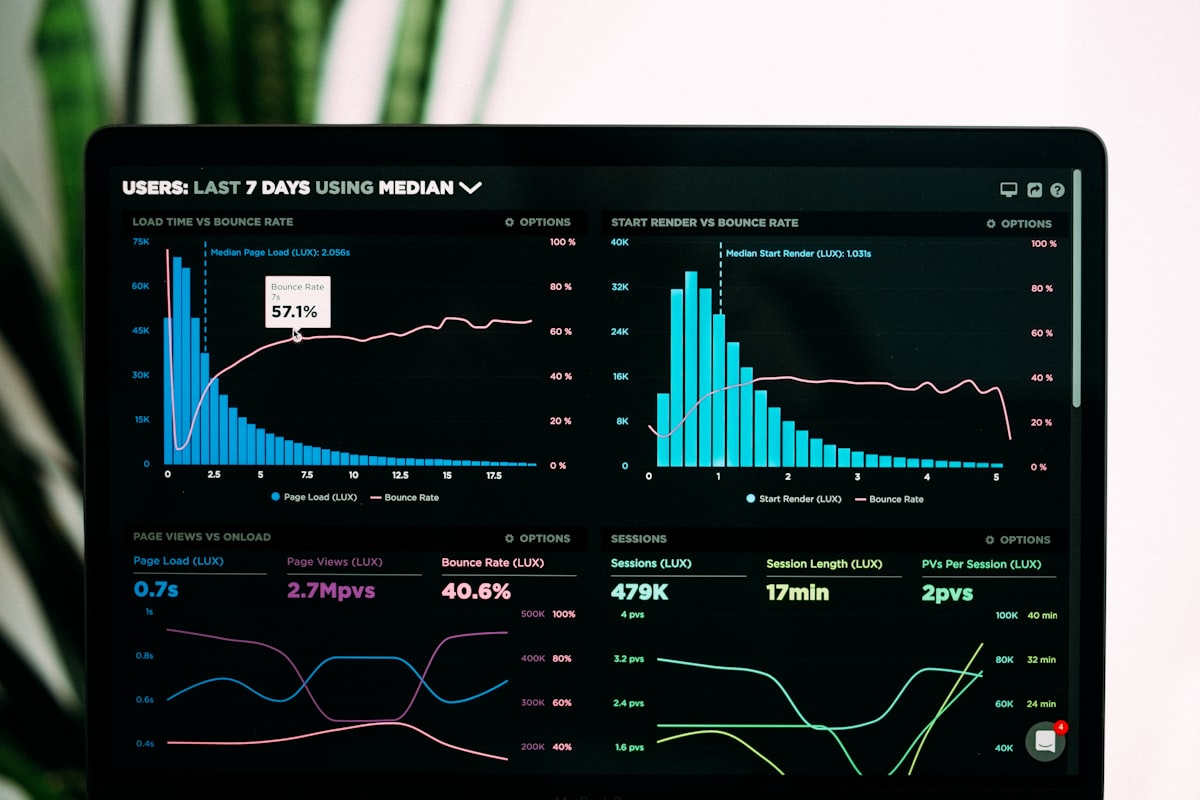
- Real-time Dashboards: KPIs update automatically as business processes occur
- Role-based Analytics: Users see relevant metrics that are related to their responsibilities
- Automated Report Distribution: Reports are generated and distributed automatically
- Mobile Access: Decision-makers access current data from any location
- Predictive Analytics: ML algorithms identify trends and potential issues before they occur
4. Finance and Operations Processes Are Disconnected
The disconnect between finance and operations departments can create data blind spots that impact cash flow, profitability analysis, and strategic planning and forecasting. This leads to:
- Inability to determine the accurate cost per unit
- Difficulty distinguishing between committed and available budgets
- Outdated profit and loss (P&L) statement
- Uncertainty about actual inventory levels
ERP Software integrates finance and operations processes in real time, creating a financial system that reflects real business activity, including processes such as:
- Operational activities are updated immediately on financial records with automated journal entries
- Inventory movements adjust the cost of goods sold
- Purchase orders automatically update budgets and cash flow projections
- Sales and delivery data synchronise with invoicing
5. Operational Complexity As the Business Grows
Rapid growth can often expose limitations in business processes. Disconnected systems, bottlenecks, and manual processes become more evident, ultimately constraining scaling.
Enterprise Resource Planning Software provides the capabilities to address the concerns when expanding, such as:
- Automating workflows and reducing manual tasks
- Providing user role management to maintain security and access control
- Monitoring departmental performance to identify capacity constraints
- Enabling seamless integrations of enterprise applications
- Offering a modular architecture for greater precision when adding and removing modules
6. Compliance and Auditing Challenges
Industries such as manufacturing, construction, distribution, food and beverage, and healthcare face strict regulatory demands. To keep on top of compliance and regulatory demands, organisations require a sophisticated documentation and tracking workflow.
Enterprise Resource Planning systems provide audit-ready features by default, including:
- Automated audit trails and version control
- Time-stamped digital approvals
- Role-based access permissions
- Historical change logs and audit trails
- Built-in compliance modules for ISO, OSHA, HACCP, GDPR, FDA, HMRC, and more
These tools simplify compliance and enhance credibility with auditors, insurers, and business partners.
What Are the Costs & Potential ROI of ERP Software
The Total Cost of Ownership (TCO) of the ERP implementation process lies in direct, indirect and hidden costs. Understanding these costs is not only critical for accurate budgeting but also for setting realistic return on investment (ROI) expectations.
These cost components consist of five sections:
1. ERP Software Licensing and Subscription Fees
The typical cost range for licensing and subscription is £10,000 to £100,000 per annum. That includes fees for individual user licences, modules, add-ons, and data storage. These fees would depend on the deployment model, most commonly on-premise ERP or cloud ERP:
- Cloud ERP Software: Modern systems operate on a subscription basis, charging a monthly fee per user, typically between £50 and £150. Additional charges may apply for extra modules or API usage.
- On-Premise ERP: This model requires a one-time licence fee, often ranging from £20,000 to £100,000 or more, along with annual maintenance contracts, which usually cost 15 to 20 per cent of the original licence fee. On-premise ERP systems also require servers, storage, network infrastructure, cybersecurity, and IT personnel.
2. Implementation and Configuration
Each ERP implementation process is unique, as every organisation has its own data structure and integration requirements. This is reflected in the costs, which typically range from £15,000 to £250,000, although they can be ongoing and exceed this amount.
Implementation costs reflect the level of customisation and expertise required to configure a system correctly. When planning, keep in mind:
- Implementation timescales can take anywhere between 3 months and 36 months, depending on customisation and complexity
- Implementation consultants charge £800 to £1,500 per day
- Data cleansing and migration from legacy systems increases the complexity of implementation
- Integrations with CRM, payroll, and eCommerce systems may require bespoke development
- Industry-specific systems with unique modules may take longer
3. Training and Change Management
Investing in training is critical to ensure Enterprise Resource Planning Software adoption and success. Without it, users may revert to legacy systems or manual methods such as spreadsheets. Training will focus on:
- Role-specific programmes for executives and end-user training
- Developing internal champions to support ongoing learning
- Measuring user adoption and improving training strategies
- Recording training sessions for future use and onboarding
Training costs consist of materials, onboarding programmes, ongoing support, and change management consultants. These costs range between £5,000 and £50,000.
4. Support, Maintenance, and Upgrades
On average, support, maintenance, and upgrades for an ERP system cost 15-20% of the annual licence fee. This includes technical support, bug fixes, system updates, and performance monitoring, which differ for deployment types:
- For cloud ERP Software, support and upgrades are generally included in the subscription fee
- For on-premise ERP, this is a separate recurring expense to access software updates and vendor support
Data migration is also included in these costs and can be significant in terms of time and costs depending on legacy system mapping, custom integrations, data cleansing, and historical data requirements.
5. Add-Ons and Custom Integrations
Out-of-the-box Software may not provide the modules and capabilities required for all business processes. To combat this, organisations will spend on custom-built modules and external system integrations.
For cloud systems, this will cost between £2,000 and £15,000 per annum. For on-premise ERP solutions, the upfront costs range from £25,000 to £100,000.
Calculating Return on Investment From ERP Software
ROI post-implementation is realised through improvements in the following areas:
- Labour and productivity gains
- Inventory optimisation
- Reduced downtime and maintenance costs
- Improved financial control
- Compliance and risk reduction
To calculate ROI, the standard formula is: ROI (%) = ((Total ERP Benefits – Total Costs) ÷ Total Costs) × 100. Total ERP benefits are tangible gains like increased revenue, reduced downtime, and cost savings. Total costs include all direct and indirect costs like licenses, implementation, and training.
As an example, if an ERP system delivers £55,000 in benefits in the first year and costs £47,000 to implement, that would be an ROI of 17%.
Most businesses begin to realise measurable ROI between one and three years after implementation. The average ROI for Enterprise Resource Planning Software is approximately 52%, with 82% of enterprises achieving positive ROI within three years.
Key ERP Software Features and Modules
| Feature | What it does for you | Tier |
|---|---|---|
| Accounting and Financial Management | Closes your books faster and keeps statutory reporting aligned with global standards including IFRS, FASB, GAAP, HGB, PCG, SEC, and ESMA. Covers general ledger, accounts payable, accounts receivable, fixed assets, and tax. | Out of the box |
| CAPEX, OPEX, and Budget Management | Gives you control over capital expenditure (CAPEX), operational expenditure (OPEX), and buffer budgets for the full fiscal year, with variance analysis against actuals. | Out of the box |
| Planning Engine | Runs financial, materials, labour, supply chain, workforce, warehouse, and logistics planning from a single engine, so you stop juggling disconnected spreadsheets. | Out of the box |
| Material Requirements Planning (MRP) | Tells you exactly what raw materials and components to buy, and when, based on demand forecasts, bills of materials (BOMs), lead times, and current stock. | Out of the box |
| Master Production Scheduling (MPS) | Turns your sales forecasts and orders into a time-phased production plan that balances capacity, demand, and inventory targets. | Out of the box (industry-specific tuning is Customised) |
| Demand Forecasting | Predicts future demand using historical sales, seasonality, and market signals, and feeds the forecast straight into your procurement and production planning. | Out of the box (advanced forecasting models are Customised) |
| Procurement and Purchasing | Manages supplier records, purchase requisitions, purchase orders, approvals, and three-way matching against goods receipts and invoices, so payments only go out when everything checks out. | Out of the box |
| Supply Chain Management | Maps your production-to-delivery process end to end, supports just-in-time (JIT) material availability, and defines goods acceptance criteria so quality issues are caught at the dock, not on the shop floor. | Out of the box |
| Inventory and Warehouse Management | Tracks stock levels, locations, batch and serial numbers, bin movements, and stock takes across one or multiple warehouses, so you always know what you have and where it is. | Out of the box |
| Sales and Order Management | Captures quotes, sales orders, dispatches, and invoices in one place, with built-in credit checks, pricing rules, and discount logic to protect margin. | Out of the box |
| Customer Relationship Management (CRM) | Manages your leads, opportunities, customer accounts, contact history, and post-sale service interactions inside the ERP, removing the need to switch between systems for customer data. | Out of the box (deep sales pipeline tooling is Customised) |
| Workforce Management | Handles hiring, HR records, well-being monitoring, upskilling, internal and external workforce coordination, project assignment, time and labour tracking, permit-to-work conditions, and health and safety monitoring in one place. | Out of the box |
| Payroll Management | Calculates wages, statutory deductions, pensions, and benefits, and produces region-specific payroll filings so you stay compliant in every country you operate in. | Out of the box (region-specific tax rules are Customised) |
| Project Management | Plans and runs internal, acquisition, departmental, strategic, change management, and short-term projects with budgets, milestones, time-booking, and resource assignments visible in one view. | Out of the box |
| Risk Management | Documents and grades your risks, plans mitigation actions, correlates dependencies, and models the financial impact if a risk event occurs, so you can prioritise where to act first. | Out of the box |
| Compliance Management | Defines internal and external compliance factors, compares planned against actual compliance, flags non-compliant areas, and documents remediation, so audits stop being a fire drill. | Out of the box |
| Manufacturing and Production Control | Manages bills of materials (BOMs), routings, work orders, shop floor data capture, and production scheduling, giving you live visibility of what’s being made, by whom, and on which line. | Out of the box (industry-specific workflows are Customised) |
| Quality Management and Traceability | Records inspections, non-conformances, batch and serial traceability, and certificates of conformity, which is critical if you operate in a regulated industry. | Out of the box (regulated-industry rules are Customised) |
| Asset and Equipment Management | Maintains an asset register inside the ERP with lifecycle status, depreciation, and links to maintenance and production activity, so finance and operations work from the same data. | Out of the box |
| Service and After-Sales Management | Manages service contracts, service level agreements (SLAs), warranties, field service jobs, and returns merchandise authorisation (RMA) linked to the original sale, protecting customer relationships beyond the point of purchase. | Out of the box (field service routing is Customised) |
| Document Control and Management | Stores, versions, and controls access to drawings, specifications, contracts, and procedures inside the ERP, so the right people see the right document at the right revision. | Out of the box |
| Standard Reports and Dashboards | Gives you pre-built dashboards and reports for finance, production, sales, inventory, and procurement KPIs from day one, with no developer time required. | Out of the box |
| Customisable Reports and Dashboards | Lets you build bespoke reports and dashboards with user-defined fields, filters, drill-downs, and role-based views, so each team sees only what matters to them. | Customised |
| Workflow Automation | Configures asset-, user-, location-, and task-driven workflows with automated routing, approvals, and notifications, removing manual chasing from your day-to-day operations. | Customised |
| Open APIs and Integration Tools | Connects your ERP to CAD, BIM, manufacturing execution systems (MES), SCADA, e-commerce, building management systems, sensors, and identity providers through documented APIs. | Out of the box (bespoke connectors are Customised) |
| Mobile and Remote Access | Lets your team access dashboards, approvals, time entry, and shop floor data from desktop, laptop, tablet, and mobile, so work doesn’t stop when people leave the office. | Out of the box |
| Multi-company, Multi-currency, and Multi-language Support | Runs consolidated operations across multiple legal entities, currencies, and languages from one system, which matters from the moment you trade internationally. | Out of the box |
| Multi-site and Inter-company Trading | Manages stock transfers, inter-company invoicing, and consolidated reporting across plants, warehouses, and subsidiaries. | Out of the box (complex group structures are Customised) |
| Industry-Specific Modules | Pre-built functionality for sectors such as manufacturing, electronics, automotive, oil and gas, wholesale distribution, and high tech, so you start closer to live than with a generic system. | Out of the box (vendor-dependent) |
| Bespoke Process Customisation | Tailors data models, screens, business logic, and end-to-end processes to match the operational requirements that configuration alone cannot cover. | Customised |
| AI and Predictive Analytics | Applies machine learning to demand forecasting, anomaly detection in transactions, intelligent approvals, and scenario planning, so decisions are based on patterns no human team would spot in time. | Out of the box on newer platforms (custom models are Customised) |
| Audit Logging, Security, and Access Controls | Captures user activity, data changes, and access events, and configures role-based permissions, giving you the evidence trail regulators and auditors expect. | Out of the box |
| Electronic Data Interchange (EDI) and E-invoicing | Exchanges purchase orders, dispatch advices, and invoices electronically with customers and suppliers, and meets country-specific e-invoicing mandates such as Peppol, Italy SDI, and France Chorus Pro. | Out of the box (mandate-specific setup is Customised) |
| Environmental, Social, and Governance (ESG) Reporting | Captures energy, emissions, waste, and social metrics across your operations and produces reports aligned with frameworks such as Corporate Sustainability Reporting Directive (CSRD) and the Greenhouse Gas (GHG) Protocol. | Customised (emerging as Out of the box on enterprise platforms) |
Compare the UK’s Best Enterprise Resource Planning Software
9 Steps to Confidently Choose Your Next ERP Software
Step 1: Assess Your ERP Software-Readiness
Before engaging vendors, determine whether your operational needs and growth trajectory warrant ERP investment. To do so, perform a current state analysis:
- Are critical processes managed via spreadsheets or disconnected systems?
- Do planning, ordering, or reporting processes suffer delays or errors?
- Are departments duplicating work due to a lack of system integration?
- Is real-time visibility into financial and operational data limited?
- Is business growth outpacing the capacity of current systems?
Step 2: Build a Cross-Functional ERP Software Selection Team
Selection should involve more than just IT and finance teams. As ERP systems serve almost all departments, your evaluation team should reflect a wide range of perspectives.
Recommended stakeholders include:
- Finance: Oversees budgeting, reporting, and compliance
- Operations: Understands real-world workflow challenges
- IT: Manages integration and system architecture
- Procurement and Inventory: Engages with supply chain systems
- Leadership: Ensures strategic alignment and change support
- End Users: Offers practical insights and promotes adoption
Step 3: Map Existing Processes and Identify Pain Points
ERP Software implementation should improve existing workflows, not replicate outdated ones. Begin by mapping your current state:
- Document current business processes across all departments
- Identify operational challenges, bottlenecks, and data silos
- Map data flows between existing systems
- List all current systems and applications in use, alongside license fees
Step 4: Define Functional, Technical, and Industry-Specific Requirements
With a full understanding of your operations, define your requirements in three categories.
Functional Requirements:
- Finance and account management (general ledger, accounts payable/receivable, budgeting)
- Inventory and supply chain management
- Sales, CRM, HR, payroll, and procurement
- Manufacturing or service delivery processes
Technical Requirements:
- Cloud or on-premise deployment
- Integration with existing systems (CRM, eCommerce, payroll)
- Data migration and configuration needs
- User access permissions and system security
Industry-Specific Needs:
- Compliance (e.g. ISO, MTD, GDPR, FDA)
- Traceability and lot tracking
- Job costing and work-in-progress tracking
- Field service or asset scheduling
Step 5: Understand ERP Software TCO Against Your Budget
ERP Software is a long-term investment. Your decision must take into account all direct and indirect costs, not just the upfront software cost. Consider TCO factors like:
- Licence or subscription fees
- Implementation, training, and support
- Custom integrations and add-ons
- Maintenance, upgrades, and system management
- Downtime or productivity impacts during go-live
Step 6: Shortlist ERP Software Vendors and Book Demos
With your requirements in hand, engage with 4–6 ERP Software vendors and request tailored demonstrations. Avoid generic demos and ask each vendor to show how their system handles your processes and pain points.
In demos, look for:
- User interface and ease of use
- Flexibility in workflows and reporting
- Depth of automation and integration
- Customisation vs configuration (and what that means for cost)
- Relevant industry experience
Once you’ve scored vendors, gathered feedback, reviewed demos, and understood costs, it’s time to make a decision. When selecting your Enterprise Resource Planning system, ensure you:
- Align with a vendor experienced in your industry and business size
- Validate the vendor’s post-sales support and upgrade roadmap
- Secure buy-in from leadership and end users
- Prepare for change management as much as for technical setup
Step 7: Plan For ERP System Implementation
Implementation timeframes range from 3 to 36 months, depending on complexity. Planning is essential. Key planning components include:
- Appointing a clear project owner and governance team
- Deciding between phased vs big-bang rollout (pilot with one department or site first)
- Defining a realistic timeline with defined milestones
- Preparing a data migration plan with cleansing and validation
- Communicating strategy across departments
- Designing a training and change management plan
- Developing integrations with existing systems
Step 8: Train Users and Drive Change
Even the best ERP system will fail if users don’t understand or adopt it. Proper training is critical to ensure adoption. Training best practices include:
- Role-based training (finance, warehouse, operations, etc.)
- Hands-on testing environments (sandbox systems)
- Creating super-users to support departments
- Documenting guides for each process
- Encouraging feedback and iterative learning
Step 9: Go Live and Monitor Performance
A successful go-live is just the beginning. To achieve ROI, track the impact of ERP against your pre-defined KPIs. Post-go-live priorities should be to:
- Track system performance and user engagement
- Offer dedicated support for the first four weeks
- Log early wins and troubleshoot issues
- Measure success using KPIs (report generation time, stock accuracy, invoice turnaround, labour hours saved, order error rates, etc.)
- Fine-tune system configuration as and when needed
- Document lessons learned and best practices
Popular ERP Software Hosting and Deployment Options
From project drivers to budget allocation, the ERP implementation process is complex. It involves picking the right methodology approach; waterfall or agile? As well as knowing what strategy best matches your requirements; big bang, phased, parallel, or hybrid?
The answer to these implementation-driven questions depends on the type of deployment.
Cloud ERP/SaaS (Public or Private)
Cloud ERP Software are by far the most popular deployment type, with 86% of digital finance leaders claiming a cloud-first mindset. Cloud ERP is a software package that resides on a server and is accessed via the internet and by paying a subscription service model to the provider (also known as software-as-a-service). There are two types of Cloud Software models:
- Public: All infrastructure is owned and operated by a third-party vendor operating a multi-tenant subscription model.
- Private: A cloud model owned by just one company, as opposed to multiple, with the infrastructure either on-site within a company’s firewall or off-site in a company-owned data centre.
On-Premise ERP Solution
A company operates and maintains its own software and hardware infrastructure on-site. ERP Software is installed on in-house servers and all infrastructure assets – including licenses – are exclusively owned by the company.
Hybrid Cloud ERP
A combination of public and private cloud models offers a mixture of advantages. Private cloud provides ownership and security, while public cloud models offer ease of implementation and scalability, particularly with data storage and computing requirements.
Deployment Type | Advantages | Challenges | Best for |
|---|---|---|---|
| Cloud ERP Software | No on-site infrastructure to maintain, Quick installation time, Low up-front costs | System security, Control of data, Control of updates | SMBs and businesses switching from outdated, expensive on-premise systems |
| On-premise ERP | Complete ownership and control, High level of customisation | Large upfront hardware and real-estate costs, Responsible for data security, Long implementation times | Large, multi-national enterprise organisations with the space and facilities to house on-premise infrastructure |
| Hybrid Cloud ERP | Control over data and systems, Security of third-party provider, Quick installation times | High hardware costs, Complex integration of both public and private systems | SMBs and large organisations with the real estate for hosting on-premise hardware but the flexibility to run processes from a third-party vendor. |
Specialised (Industry)
Specialised Enterprise Resource Planning systems are customised to provide features and capabilities targeted at specific niche operations and industries. For example, while a Distribution ERP system will have generalised features for finance and HR, it will provide more specialist features for distribution activities like order fulfilment, warehouse management, and demand forecasting.
Two-Tier Deployment
A two-tier approach is deployed when a core ERP system (Tier 1) is either overly complex or doesn’t provide the specialised requirements of business subsidiaries. Therefore, instead of all regions and subsidiaries using one core system, organisations will deploy another ERP Software (Tier 2).
Industry-Specific ERP Software Solutions
Manufacturing
Manufacturing ERP systems help manufacturers plan and schedule production, improve product quality, leverage product lifecycle management, optimise supply chain planning, and gain accurate inventory control.
Accounting and Financial
Enterprise Resource Planning systems are used by financial services to control risk management, plan for “what-if” scenarios, secure data management, and track custom relationships.
E-Commerce and Retail
Retailers utilise e-commerce integrations and ERP modules such as order management, warehouse management, customer tracking, and supply chain management to improve control of sales and the customer experience.
Construction and Engineering
Construction and engineering operations use integrated enterprise applications to track and assign sub-contractors, control the inventory of building materials, plan for resource allocation, and improve project management on a large scale.
Wholesale and Distribution
Wholesaler and distributor ERP systems combine warehouse management, order management, demand forecasting, logistics and shipping, and customer management.
Food and Beverage
Tailored food and beverage ERP tools use information to analyse and improve food waste management, recipe management, ingredient tracking, and allergen and dietary safety compliance. As well as using warehouse and inventory management modules for storing products with temperature, weight, and date requirements.
Small Business
Just by the name “enterprise resource planning”, small businesses might think that it is not for them. Yet, any size of business looking to develop and grow in a structured and integrated manner will find that adopting ERP Software creates value and helps it grow in the market.
Supply Chain Management
Enterprise Resource Planning Software can improve all five stages of the supply chain, driving better business efficiency and management of assets to improve the resiliency of an organisation as it grows or meets changing market conditions.
Listen to ERP Experts on The Comparesoft Podcast
Ep 10: How to Ensure a Successful ERP Implementation Go-Live
Laura Pointer explains the methodology behind her 100% ERP go-live success rate, drawing on her experience across oil and gas, engineering, manufacturing and facilities management.
Ep 9: What Your ERP Delivery Partner Does Between Purchase and Go-Live
Yuriy Zaletskyy draws on 13 years of hands-on implementation experience to explain what really happens once a business has chosen its ERP and an ERP delivery partner takes over.
Ep 8: ERP Recovery Roadmap: How to Rescue a Failing ERP Programme
Drawing on 15 years in construction and EPC operations and her experience leading ERP transformation and recovery work at Deloitte, Adileh Mountain unpacks what causes ERP programmes to go off the rails and what a practical recovery plan looks like.
Ep 7: AI-Native ERP: What Buyers Should Know Before Selecting a System
John Cusick joins the Comparesoft ERP Podcast to explain what AI-native ERP actually means for software buyers. He breaks down the practical differences between AI-native and traditional ERP systems, from implementation and evolution to integrations, training, and post-go-live governance.
Ep 6: How Manufacturers Can Optimise Supply Chains By Fixing ERPs & Layering AI
Lee Wachter, ERP & AI Supply Chain Advisor, joins the Comparesoft ERP Podcast to explain how mid-market manufacturers and CPG companies can regain control of failing ERP supply chain operations, drawing on senior leadership experience at Olympus, Diageo, and three years inside an ERP vendor.
Ep 5: How an ERP Project Manager Keeps Large-Scale Programs on Track
Tanya Last explains the role of an ERP project manager and how large-scale ERP programs are kept on track from early delivery through to post-go-live stabilisation. Tanya covers delivery control, early warning signs, change management & what successful stabilisation looks like after implementation.
Ep 4: How ERP Phase 0 Prevents Scope Creep, Governance Drift & Data Chaos
Bryan Oak unpacks ERP Phase 0 and why it is the decision work that protects scope, governance and data from chaos later. Bryan explains what Phase 0 actually covers, what “good enough” looks like, and why organisations default to vendor selection before they have aligned on outcomes.
Ep 3: What ERP Failure Really Looks Like and How to Prevent It
James Robertson, ERP Troubleshooter & Published Author, explains what ERP failure really looks like today and why it is far more common than most organisations realise, arguing that up to 95% of ERP programmes fail at the executive decision-making level.
Ep 2: Making Legacy-to-Cloud Public Sector ERP Transformations Stick
Ramzan Amin, Founder and CEO of SIM Consulting, joins the Comparesoft ERP Podcast to draw on his experience as ERP Programme Director at Kent County Council and explore why public sector organisations are being pushed to replace ageing ERP systems.
Ep 1: The Critical Success Factors (CSF) Behind Successful ERP Implementations
Jen Payne, Co-founder of Bright Lambs, joins us to break down the critical success factors behind successful ERP implementations and why so many projects fail before they even reach go-live.
Popular ERP FAQs
How Much Does an ERP System Cost?
- £2,000 to £15,000 for small business ERP Software.
- £15,000 to £50,000 for medium businesses with simple requirements, light customisation and straightforward integration requirements.
- £50,000 to £150,000 for medium businesses with customisation and integration requirements.
- £150,000 to £1,000,000 for medium businesses with complex requirements, bespoke development, customisation and two-way (bespoke) integration.
- £1,000,000 to £10,000,000 for enterprise businesses that have simpler processes.
- £10,000,000+ for enterprise holding companies with multiple businesses/subsidiaries and complex processes.
How Long Should It Take to Implement ERP Software?
The duration of implementation hinges on several factors, but on average can take anywhere between 3 months to 3 years. This timescale largely depends on the size of a company:
- 3–6 months: Small businesses who opt for an out-of-the-box cloud solution
- 6–9 months: Medium businesses that require a slightly more customised system
- 9–18 months: Large organisations with over 1000 users and requiring multiple module integrations
- 18–36 months: Multinational enterprises that have multiple subsidiaries and therefore may require a two or three-tier deployment
As well as considering the time of an ERP deployment’s lifecycle (planning, design, transition, testing, and post-analysis), other factors play a role in how long implementation can take, including:
- Required customisations
- Complexity of a system
- Migration of existing data from legacy systems
- Required user training
- Deployment type (cloud, on-premise, or hybrid)
How Can You Use Reviews To Shortlist ERP Software?
ERP Software reviews can be useful, but genuine reviews can be very hard to find. The BBC reported that the authorities investigated fake online reviews on major websites.
The trouble is, review websites are completely disconnected from the Software purchase cycle. They have no understanding of the purchase, implementation, or buying process of ERP Software. They are simply collecting the reviews. Hence, it becomes very easy to game the Enterprise Resource Planning Software reviews.
Literally, anybody can post a review.
Nobody likes to post reviews, so review websites often end up paying for them. This makes it very difficult to trust these reviews. As a result, the chances of finding a negative review are significantly reduced.
Another major issue with reviews is that they are statistically insignificant. The number of reviews available is not a true representation of the Software.
SAP, for example, has only hundreds of reviews despite having 25,000 customers globally. Statistically, fewer than 0.01% of SAP’s customers have left a review.
In essence, genuine reviews for ERP Software are difficult to find, and you are unlikely to encounter any bad reviews online.
There are two ways to identify reviews of ERP Software:
- Look at testimonials, case studies, or success stories featured on a shortlisted Software vendor’s profile or website. Since this information is available directly from the vendor, it is likely to be genuine.
- The best way to identify genuine reviews is to speak with the support team of your shortlisted Software vendors. Support teams often provide clear insight into which areas of the product require more support, what types of customers the ERP Software suits best, and they may suggest best practices to avoid pitfalls.
Always speak with both satisfied and unsatisfied customers of your shortlisted products. That is the best way to uncover the right fit for your business.
Will an ERP System Integrate With External Applications and Existing Software (Like CRM, E-Commerce, Payroll, etc.)?
Yes, modern ERP systems are designed to integrate easily with commonly used business tools. These include CRM, HRM, inventory and WMS, e-commerce platforms, and payroll.
There are three main methods of integration: native/pre-built, iPaaS/middleware, and point-to-point/custom APIs and SDKs.
Although seamless integration is common, it also depends on the configuration of external applications and a vendor’s capabilities. If integration is a key factor in your ERP software decision-making, be sure to consider:
- What connectors or pre-built integrations are provided
- Whether the system supports custom-built application integrations
- Will you will receive real-time data synchronisation across all applications connected to your ERP
- Whether integrations incur extra costs
- How long it will take to connect existing applications with the Enterprise Resource Planning system
- Who manages the integration process
How Best To Compare ERP Software Options?
Most businesses looking to compare ERP Software tend to focus primarily on the products themselves. Typically, features and pricing are the initial points of comparison.
However, in addition to features and prices, there are four additional factors that should also be evaluated:
- Implementation success and onboarding programmes: Assess the vendor’s track record, typical implementation timelines, and the quality of onboarding support they provide.
- Support quality: Evaluate the available support channels, average response times, and the technical proficiency of the support team.
- Product evolution: Review how frequently the vendor releases updates and new features to ensure the software continues to meet evolving business needs.
- Team stability: Vendors with low staff turnover often indicate strong internal management and can offer more consistent long-term support.
Phased implementation and collectively agreeing on the must-have features often ensures swift adoption of the chosen ERP system.
Who Are the Primary Users of ERP Software and How Do They Apply It?
Executive Leadership (CEO, COO, MD)
- Monitor real-time dashboards tracking sales, margins, inventory value, and cash flow
- Generate comparative reports by region, business unit, or time period
- Review high-level KPIs, including on-time delivery rates, gross profit per product, and working capital status
- Use forecasting and scenario planning tools to model growth strategies and risk mitigation
Finance Teams (FD, CFO, Accountants)
- Automate invoice generation, payment tracking, and bank reconciliation
- Close month-end and year-end accounts efficiently with minimal manual intervention
- Create and manage budgets, monitor cash flow, and forecast revenue and expenditure
- Conduct internal audits using built-in traceability, document history, and version control
Operations Managers
- View real-time job schedules and allocate labour or machine capacity accordingly
- Track production status and identify operational bottlenecks
- Monitor material availability and enable just-in-time inventory ordering
- Analyse production throughput, waste rates, and downtime metrics
- Log resource usage directly into the system for accurate cost accounting
Supply Chain and Procurement Teams
- Set automated reorder points based on stock levels and lead times
- Approve purchase orders, track supplier deliveries, and manage order discrepancies
- Evaluate supplier performance across cost, delivery reliability, and quality
- Manage vendor contracts, catalogue pricing, and payment terms
- Link purchase orders to goods receipts and supplier invoices for seamless processing
Field Service and Maintenance Teams
- Access scheduled maintenance tasks on mobile devices while on-site
- Record job status, time spent, and parts used during service calls
- Review asset history to identify recurring faults and optimise maintenance schedules
- Trigger urgent work orders for reactive maintenance when issues are reported
- Sync task completion data with finance for billing or cost recovery
Warehouse and Inventory Teams
- Use barcode or RFID technology to manage stock movements in real time
- View live inventory levels across all storage locations, bins, and batches
- Conduct cycle counts and update inventory to reflect actual quantities
- Allocate stock efficiently to sales or production orders
- Identify expired or damaged stock and flag it for review or disposal
Sales and Customer Service Teams
- Check real-time stock availability before confirming customer orders
- Access customer profiles, order history, payment status, and contact preferences
- Convert quotes to orders and generate invoices in a single workflow
- Track delivery status and respond to customer enquiries with accurate updates
- Apply authorised pricing, discounts, or promotions based on defined rules
Human Resources and People Teams
- Manage employee records, payroll, timesheets, and leave schedules in one system
- Track absences, shift patterns, and workforce availability
- Automate tax calculations, statutory deductions, and payslip generation
- Assign mandatory training, record certification status, and ensure compliance
- Analyse staffing costs across departments, roles, and locations
IT and Digital Transformation Leaders
- Define user roles, permissions, and access controls to ensure data security
- Integrate ERP software with existing systems such as CRM, eCommerce, and BI tools
- Monitor system performance, manage backups, and ensure cybersecurity
- Plan and execute system upgrades, patches, and custom configurations
- Extend functionality using APIs and compatible third-party solutions
What is Agentic ERP?
Enterprise resource planning has always been about centralising data and standardising workflows. But traditional ERP is static, it records what has already happened. Agentic ERP, or copilot, is the next step: a system that not only records, but acts.
Built on AI agents, agentic ERP continuously monitor signals across finance, operations, supply chain, HR, and customer data. Instead of waiting for users to pull reports or trigger workflows, the system takes initiative:
- Re-ordering inventory before stockouts occur
- Allocating resources when demand spikes
- Reconciling accounts automatically
- Suggesting process optimisations in real time
This makes ERP proactive, adaptive, and autonomous. Agentic ERP doesn’t just describe the business; it drives it forward by learning, reasoning, and executing with every cycle.
The result of agentic ERP Software is companies moving from reactive management to predictive and prescriptive operations. This unlocks faster decisions, reduces waste, and introduces new levels of organisational intelligence.
ERP Software Implementation & Industry Guides
What Is ERP Integration: Understanding the Methods, Benefits & Risks Involved
ERP integration is the process of feeding your Software with the data provided by current business day-to-day operational applications. But, for successful integration, there are several methods, process, and challenged to be wary of.
ERP Implementation: Costs, Timelines and Proven Steps for Success
For a business to succeed with the implementation of a modern systems, and avoid an expensive crash-and-burn, there is a 9-step process.
ERP vs. CRM: Differences, Similarities and Knowing Which System to Choose
CRM and ERP are the heavyweight tools of the corporate software world. Both boost revenue and improve business performance, but they go about it in very different ways.
What’s the Difference Between ERP and MRP?
Businesses have moved on from a material world to one of data insights and analytics. That’s where Enterprise Resource Planning improves on the traditional use of manufacturing resource planning, otherwise known as MRP. However, MRP’s dominance in the world’s factories and production facilities challenges the need for ERPs and potentially greater IT complexity.
The Perks & Potential Risks of ERP HR Module Integration
As the Enterprise Resource Planning (ERP) market size reaches its expected $49.5 billion worth, organisations are understanding the advantages of integrating all business processes through ERP Software modules, one being a HR Module.
How the Integration of AI in ERP Is Empowering Better Decision Making
The integration of Artificial Intelligence (AI) in Enterprise Resource Planning Software is widespread, with 65% of CIOs integrating AI into business systems in 2022. As of 2024, one in six UK businesses has adopted artificial intelligence technology, with most citing ‘data management and analysis’ as the primary reason. This makes the combination of AI and ERP fitting and somewhat limitless.